 Illustrative creative scene
01 / FINGERPAGE
Template Studio
Arrange objects to create documents, cards and visual layouts.
Combine text, photos, video and reusable objects into unique templates and pages. FingerPage brings creation, publishing and discovery into one connected creative journey.

FingerPage is built around four connected concepts: Object, Template, Page and Story. Build detailed compositions on desktop, save and reuse templates, share what you make, and discover creations from others. Available capabilities vary by platform, account and release.

Explore verified editor menus, object tools and content management workflows.
Illustrative creative sceneArrange objects to create documents, cards and visual layouts.
 Illustrative creative scene
Presets, rulers, grids, snapping, alignment and zoom.
 Illustrative creative scene
Combine documents, tables, lists, photos, videos and links.
Illustrative creative sceneKeep your templates, open them again and preview changes.
 Real product screen
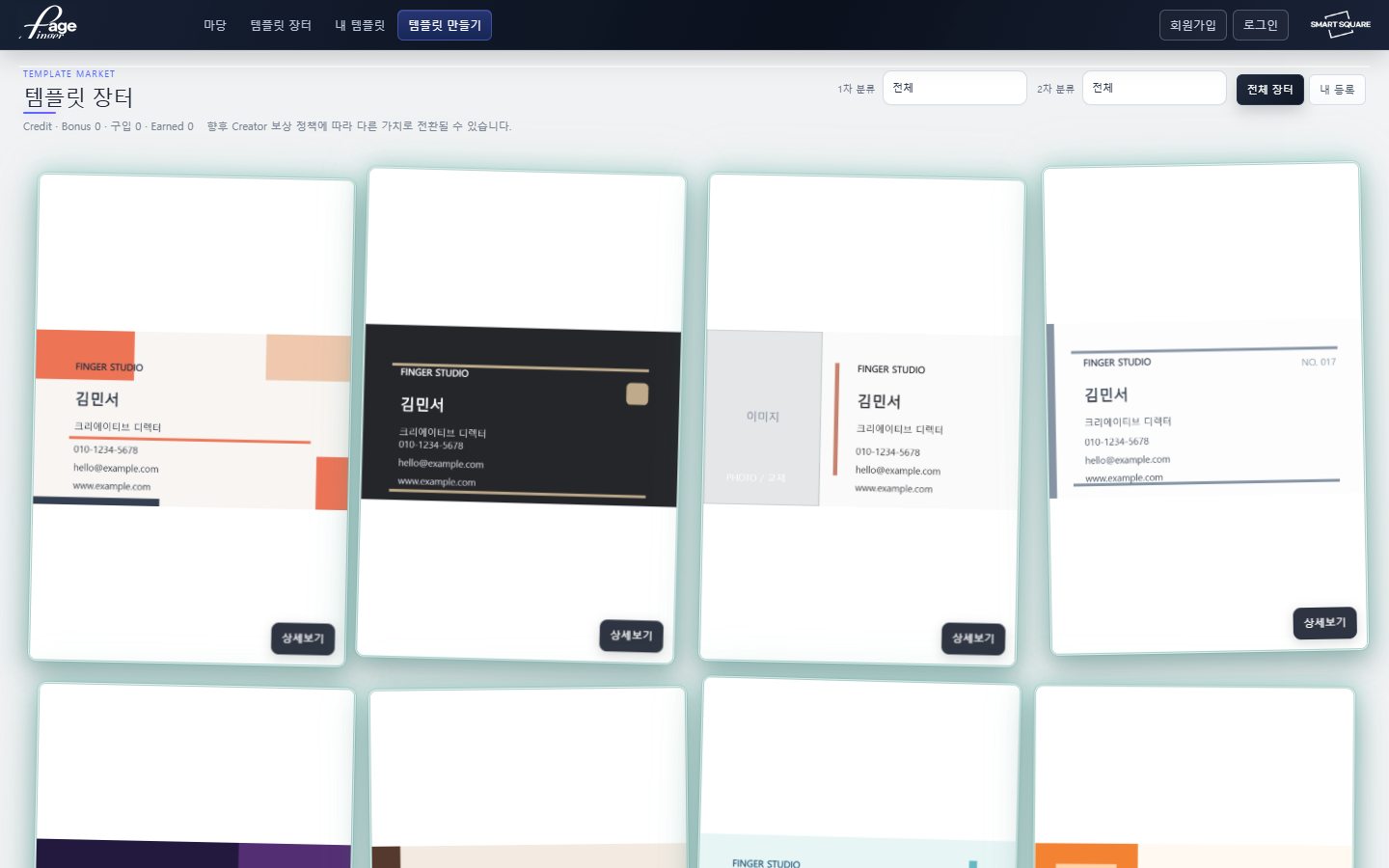
Browse and submit templates with listing and usage settings.
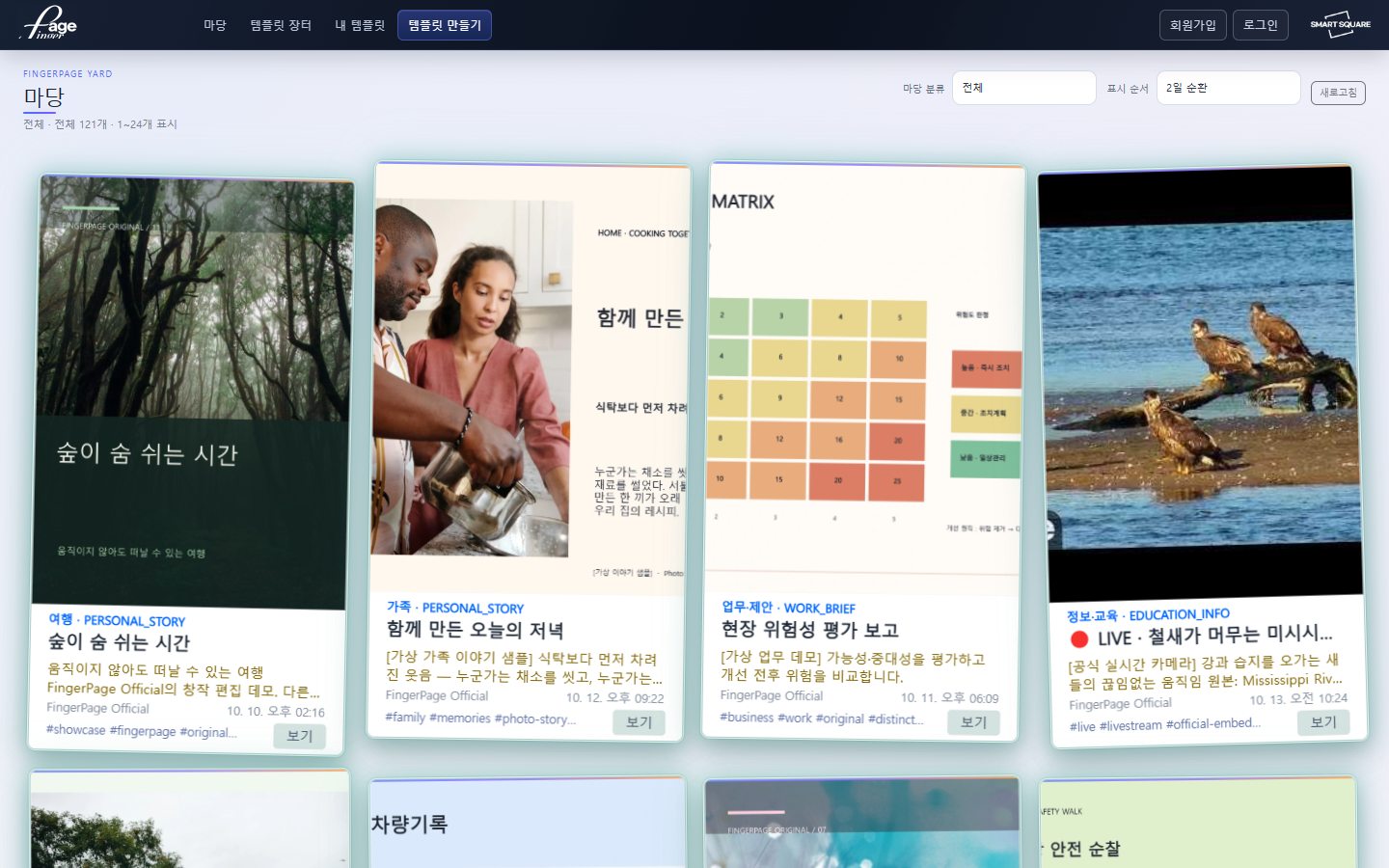
Real product screenDiscover public creations and view them in context.
One reusable structure, a growing range of possibilities.
Make the content blocks: text, images, video, shapes and more.
Arrange objects in a reusable visual layout.
Compose a completed page using your layout.
Connect pages into longer creations and stories.
Object and Template are core concepts in the web studio. Page, Story and mobile workflow availability may vary by service version. Visuals combine illustrative scenes and actual public product screens.
A directory grounded in the current web studio interface and server code. Filter by category or search.
Compose rich text with titles and paragraphs
Web studioOrganize information into rows and columns
Web studioDesign checkable task lists
Web studioCreate repeated structured items
Web studioArrange four images inside one object
Web studioPosition and style standalone text
Web studioPlace photographs and graphics
Web studioSet playback behavior and visual bounds
Web studioBuild compositions using shapes
Web studioSeparate and connect visual elements
Web studioConnect pages to web destinations
Web studioA4, business card, tablet and square formats
Web studioAlign elements using a physical unit scale
Web studioTurn layout guides on or off
Web studioSnap objects and layouts to guides
Web studioInspect details at different zoom levels
Web studioMove safely backward or forward through edits
Web studioReuse selected design elements
Web studioAlign and evenly distribute selected objects
Web studioAdjust size, rotation and aspect ratio
Web studioEdit position, fill, border and opacity
Web studioFormat font, size, alignment and emphasis
Web studioChoose between fill and fit modes
Web studioReposition images within their frames
Web studioRectangle, rounded, ellipse and polygon frames
Web studioUpload and adjust canvas backgrounds
Web studioAuto/click playback, looping and auto-hide
Web studioAnalyze a reference image to assist template creation
Account / policyGenerate background artwork from a description
Account / policyView quota information before AI requests
Account / policyReview the source materials used for design
Web studioSave your designed templates
Web studioOrganize templates in two category levels
Web studioStart new projects in the studio
Web studioReview rendered layouts before publishing
Web studioOpen saved templates and adapt them
Web studioPrepare designs for supported mobile workflows
Account / policyExplore public templates by category
Web studioSwitch between market and your submissions
Web studioSubmit a rendered template preview
Account / policySet categories, tags and descriptions
Web studioConfigure use, modification and redistribution rights
Account / policyReview supported pricing tiers and credit rules
Account / policyReview the listing's rendered thumbnail
Web studioShare selected creations publicly
Account / policyDiscover content by topic
Web studioChoose rotating or latest content order
Web studioMove through paginated content feeds
Web studioOpen published works in the viewer
Web studioNavigate a multipage work
Web studioRegister with account ID and email verification
Web studioAccess with FingerPage or supported EasyPlan login
Account / policyChoose personal or business account type
Web studioConnect template creation and mobile usage
Account / policyOrganize content across objects, templates, pages and stories
Integration stageAdminister categories and publication under appropriate roles
Account / policyThis overview reflects implemented interfaces and documented workflows. Access may depend on authentication, publishing permissions, AI quotas, server setup, mobile versions and ongoing development.
Save what you create, then choose how to share or publish it.
Live product screenshotExplore templates from others. List your own with categories, a representative preview and usage permissions.
Explore market in StudioLive product screenshotBrowse public works by category or recency, then enjoy pages and creations in the content viewer.
Explore Yard in StudioAnalyze a reference image to help build a template, or describe a scene to generate a background. Eligibility and usage limits depend on account and AI policy.
Explore AI tools in Studio ↗Photo journals, memory cards and daily layouts
Design work, stories and personal showcase pages

Tables, checklists and recurring document formats
Public templates, shared works and content discovery
The gallery is an authentic product screenshot; other photographs illustrate potential uses.
FingerPage is designed to connect desktop creation and mobile use. Availability and behavior can differ depending on product release and platform.
Choose Open Studio above, then use Template Studio or My Templates to start and save your work.
No. AI features can have account, daily, monthly and server policy limits.
There are publishing workflows for Yard and Marketplace. Actual availability, pricing and permissions follow your account and service policies.
One photo, one line, one moment. Make it something memorable.